The complete alarm app for iOS
Sync your calendar, ask Siri, share alarms in Messages, or make one from any text—all powered by iOS AlarmKit for full-screen alerts you can't miss.

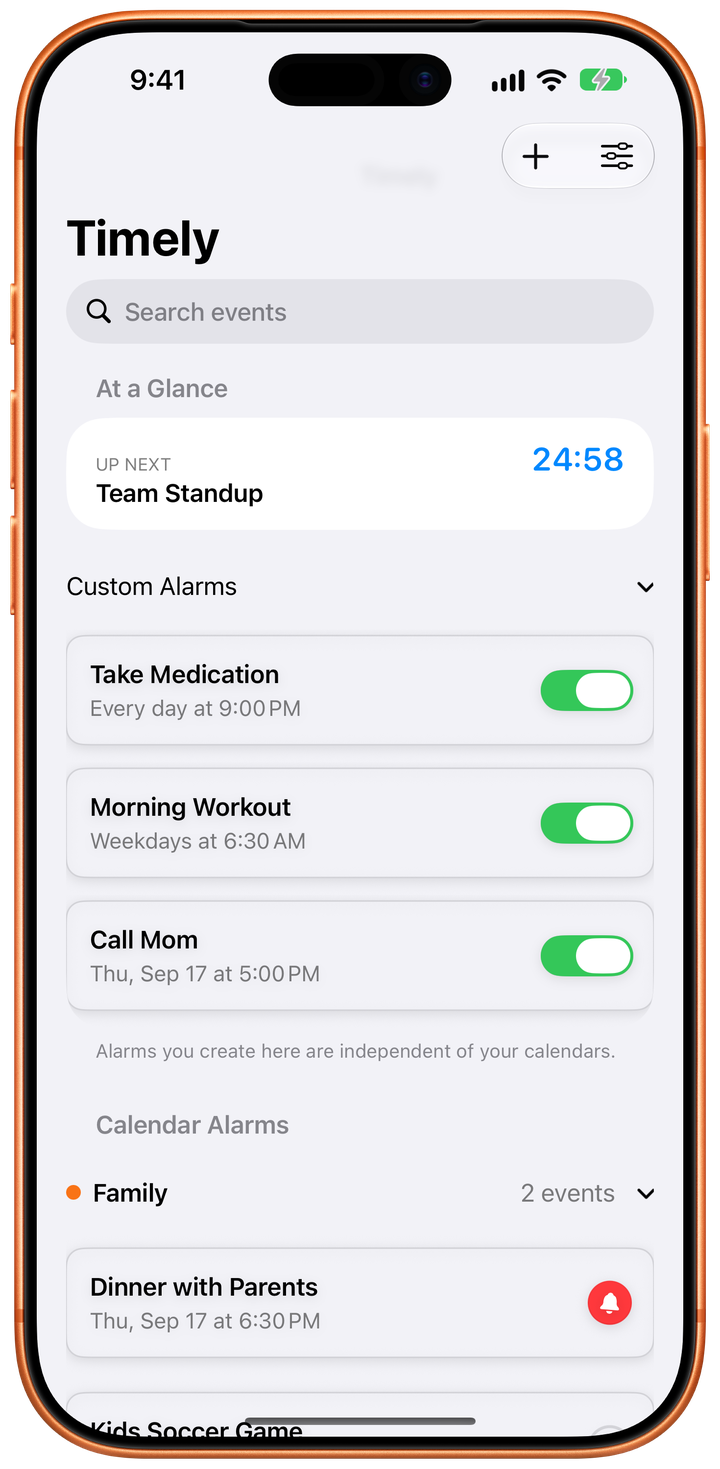
See Timely in action
From the alarm that wakes you to the countdown on your Lock Screen.
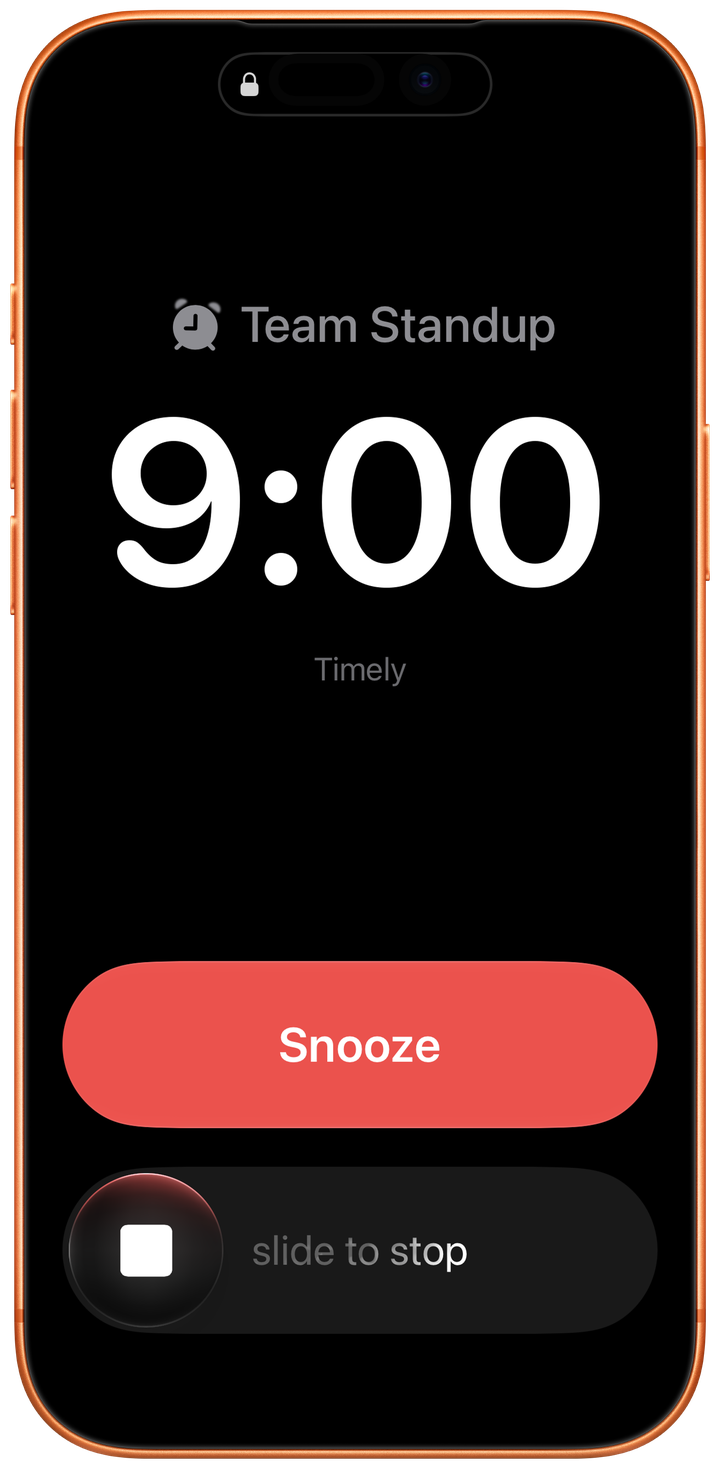
Rings through Silent and Focus
A full-screen alarm you can't sleep through
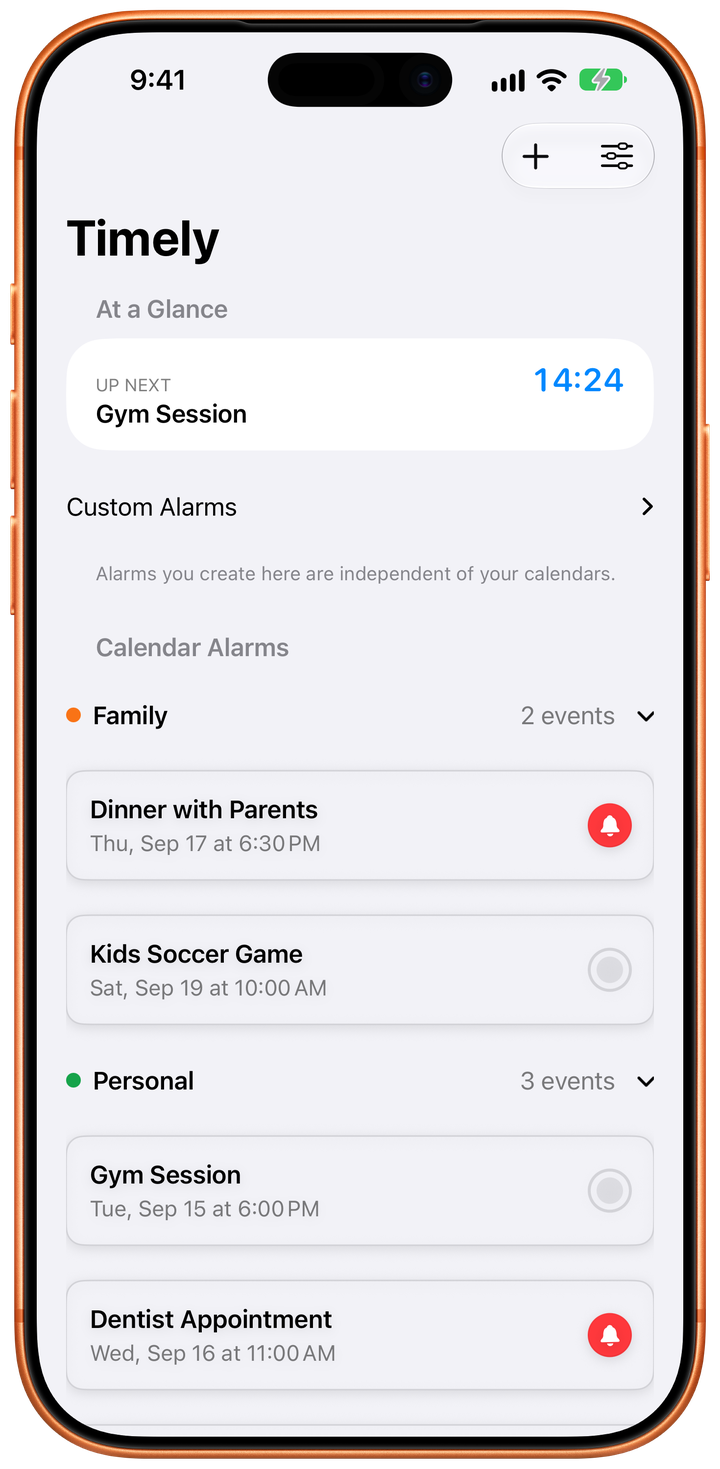
Real alarms for your calendar
Tap any event and it rings as an alarm
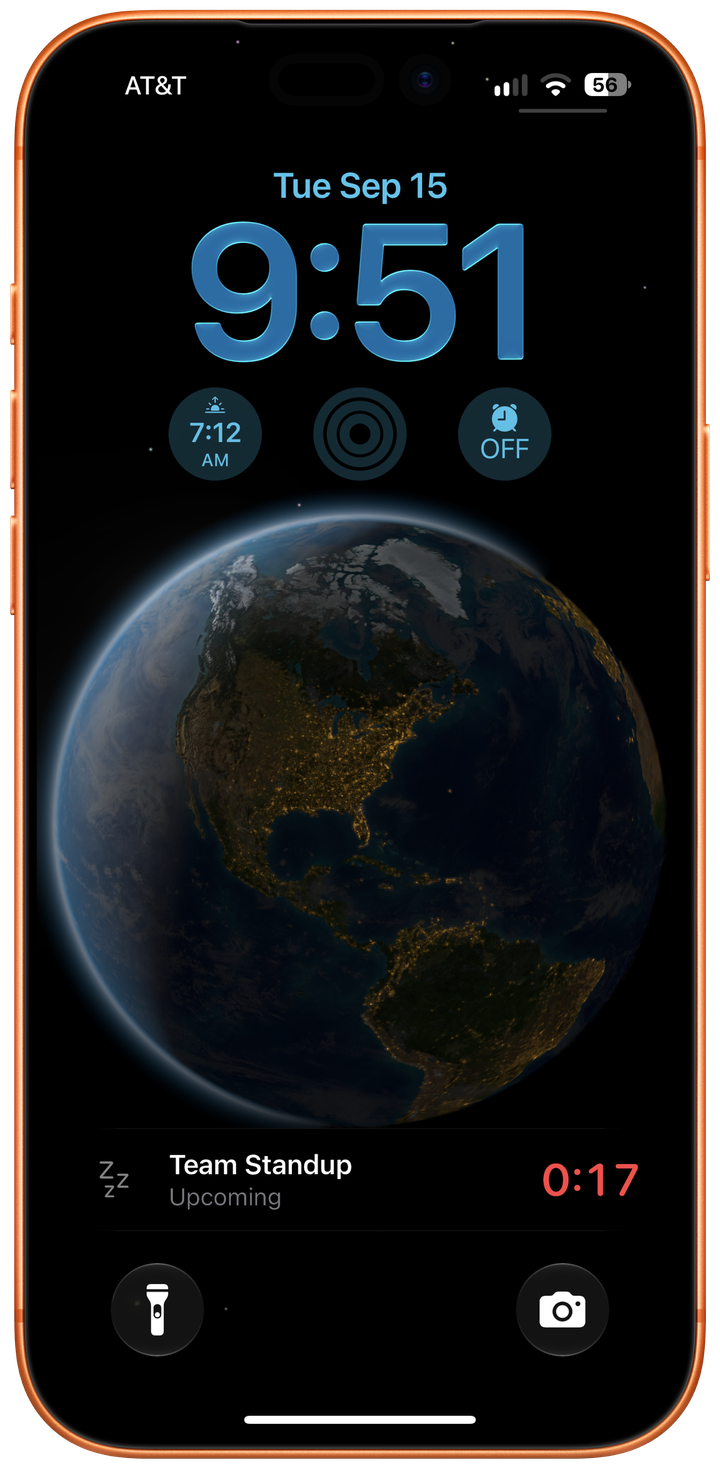
See it coming
A live countdown on your Lock Screen
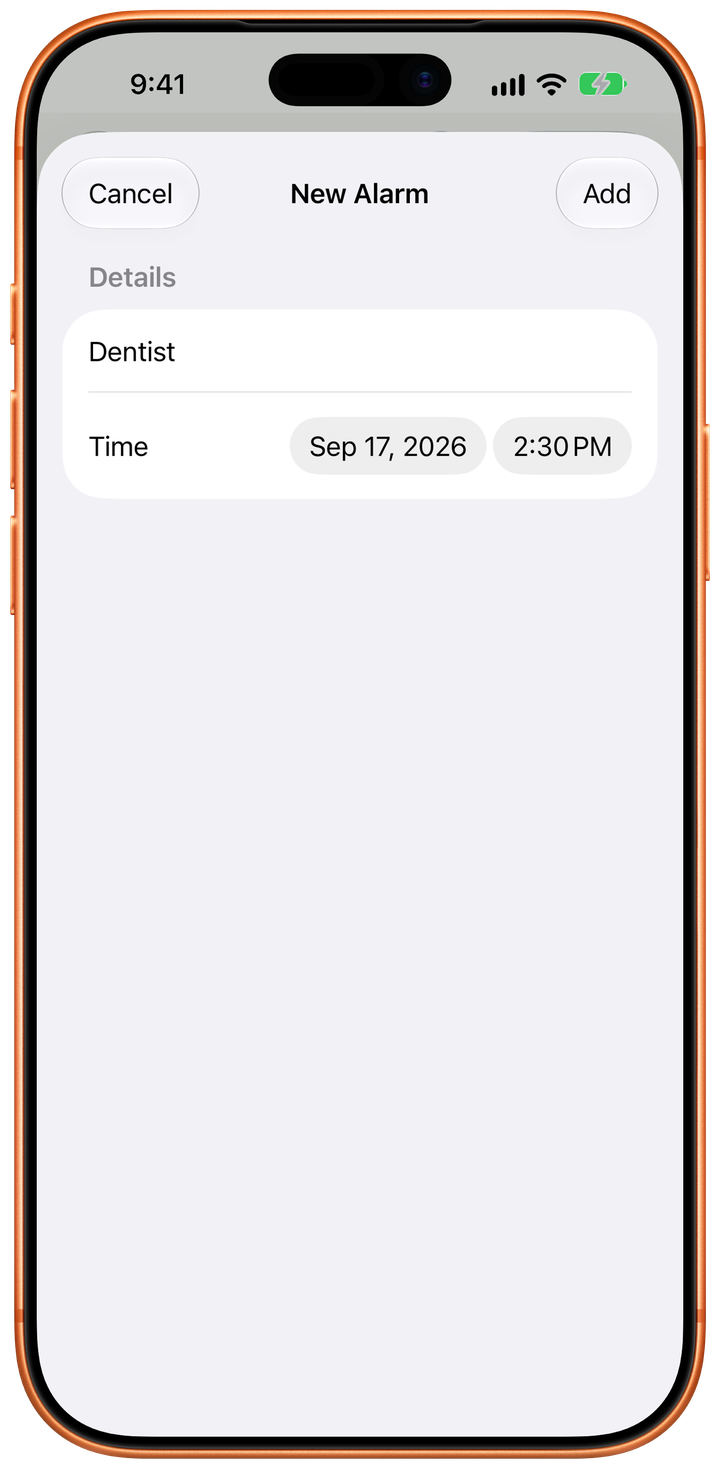
Any text becomes an alarm
Share a message or note and the alarm is filled in
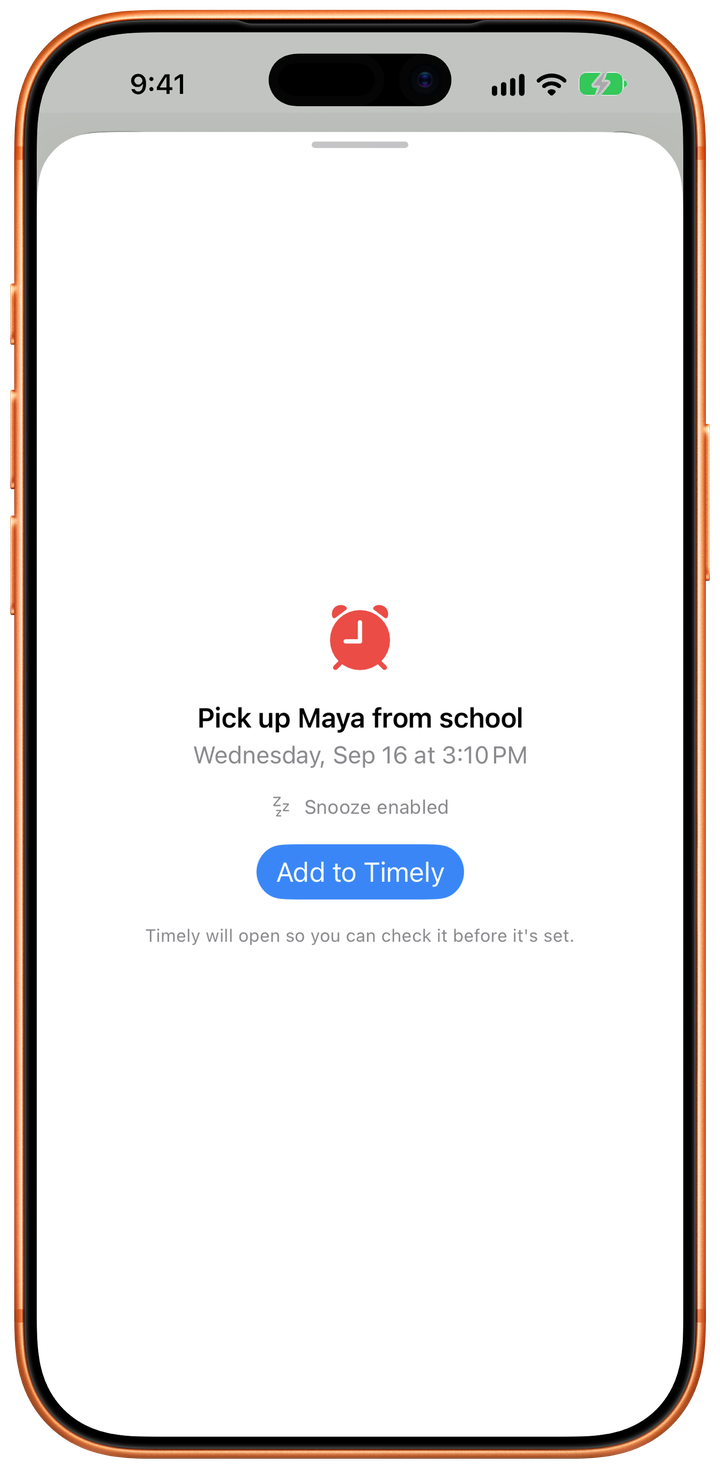
Send an alarm to someone
Share it in Messages and it rings on their iPhone
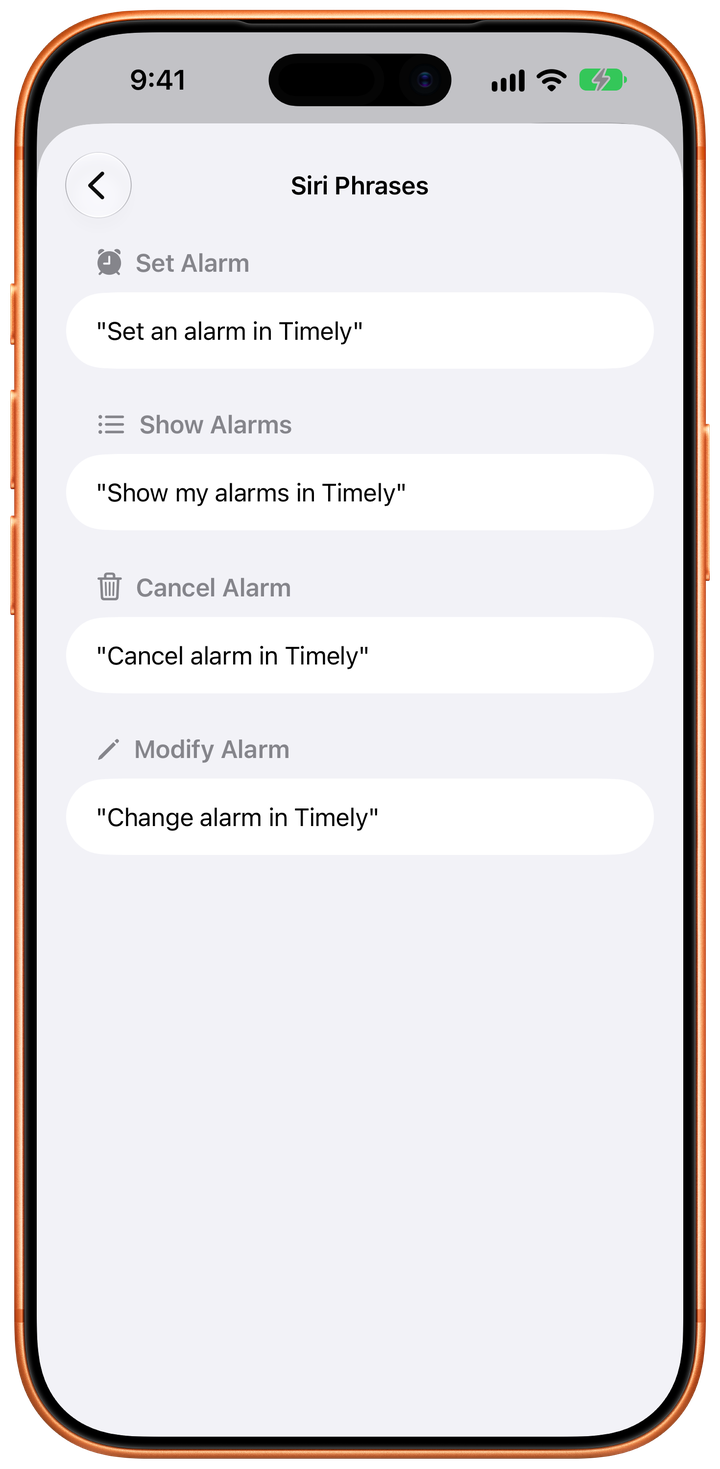
Set it by voice
Siri creates, lists, edits and cancels alarms
New in Timely 3.0
Alarms that follow you to a new phone, countdowns on your Lock Screen, and two new ways to get an alarm into Timely.
Your alarms come back
Reinstall Timely or set up a new phone and your alarms and settings restore through your own iCloud. No account needed, and you can switch it off in Settings.
Live countdowns
See how long is left on the Lock Screen and in the Dynamic Island: time until your alarm rings, and time left once it does.
Share alarms in Messages
Send an alarm or an event countdown into a conversation from the Timely iMessage app. The other person reviews it in Timely before it's added.
Make an alarm from any text
Select something like "dentist Tuesday 3pm" in any app, share it to Timely, and get a pre-filled New Alarm to confirm.
Siri does more
Set repeat days and snooze by voice, and ask Siri for an alarm by name to edit or cancel it.
Calendar filtering for everyone
Filter to one calendar for free. Pro combines as many as you like.
Three ways to never miss a moment
Whether you sync from your calendar, ask Siri, or set alarms manually—Timely has you covered.
Calendar Sync
Connect your calendars and turn any event into a real alarm with one tap. See events organized by calendar, up to a year ahead with Pro.
Siri Voice Control
Create, edit, list, snooze, and cancel alarms using just your voice, repeat days included. Works even when your phone is locked or across the room.
Custom Alarms
Create standalone alarms for anything—reminders, wake-ups, or one-time events. No calendar needed, just set and forget.
Control alarms with your voice
Timely works seamlessly with Siri, so you can manage alarms without touching your phone. Set repeat days, allow snooze, or ask for an alarm by name. Perfect for when you're cooking, driving, or just busy.
"Hey Siri, set an alarm in Timely"
"Hey Siri, show my alarms in Timely"
"Hey Siri, cancel alarm in Timely"
"Hey Siri, edit alarm in Timely"
"Hey Siri, snooze my Timely alarm"
Works with Shortcuts
Automate your alarms
How it works
Get started in seconds with our guided setup
Quick Setup
Our onboarding walks you through permissions for alarms and calendar access.
Choose Your Method
Browse calendar events, ask Siri, share text from another app, accept one from Messages, or create alarms manually—whatever works for you.
Set & Forget
Arm your alarms with one tap or voice command. They're scheduled with iOS AlarmKit.
Never Miss Again
Get full-screen system alarms that can't be silenced—just like your morning alarm.
Available in your language
Timely is fully localized in 9 languages, automatically matching your device settings.
Unlock Pro Access
Start free with essential features. Upgrade once for lifetime access to everything.
365-Day View
See your entire year ahead instead of just 14 days. Perfect for long-term planning.
Unlimited Alarms
Keep as many alarms as you need. Free users can have up to 3 at a time, however they were created.
Calendar Filters
Combine as many calendars as you like. Free filters to one calendar; Pro lets you mix and match.
Alarm Offsets
Set alarms 1-3 minutes before events, giving you time to prepare and arrive.
Free vs Pro
Start free, upgrade when you need more
| Feature | Free | Pro Access |
|---|---|---|
| Calendar event alarms | ||
| Siri voice commands | ||
| Siri Shortcuts support | ||
| Share alarms in Messages | ||
| Alarm from shared text | ||
| iCloud backup of alarms | ||
| Live Activities & Dynamic Island | ||
| Alarms | Up to 3 at a time | Unlimited |
| Calendar view range | 14 days | 365 days |
| Calendar filters | 1 calendar | Any combination |
| Alarm time offsets |
Privacy & Reliability
Your data stays yours, your alarms stay reliable
Your Data Stays Yours
No accounts. Alarms back up to your own iCloud, and your calendar content never leaves your iPhone. We only see anonymous usage stats.
System Alarms
Powered by AlarmKit for reliable, full-screen alarms that can't be missed.
Minimal Permissions
Only needs calendar and alarm access. No location, contacts, or other permissions.
Frequently Asked Questions
How is this different from calendar reminders?
What can I do with Siri?
Do I need an account?
Does it work offline?
What languages are supported?
What iOS versions are supported?
Can I restore Pro on a new phone?
Is Pro a subscription?
How do I share an alarm with someone?
How does making an alarm from text work?
Get Product Updates
Be the first to know about new features and improvements